PC
CONSOLE
Patch Notes - Update 42.3
PATCH NOTES

※ The times shown below are subject to change.
PC: 26/8/12 00:00 - 08:30
Console: 26/8/20, 01:00 - 09:00
Check out the Map Service Report - Update 42.3 for the latest info on regional map preferences and rotations!
※ Please note that the features and updates described below are subject to change or removal due to issues such as bugs, in-game problems, and community feedback. The images are intended as visual references only; the actual game may look different as the builds are continually developed and refined before release.
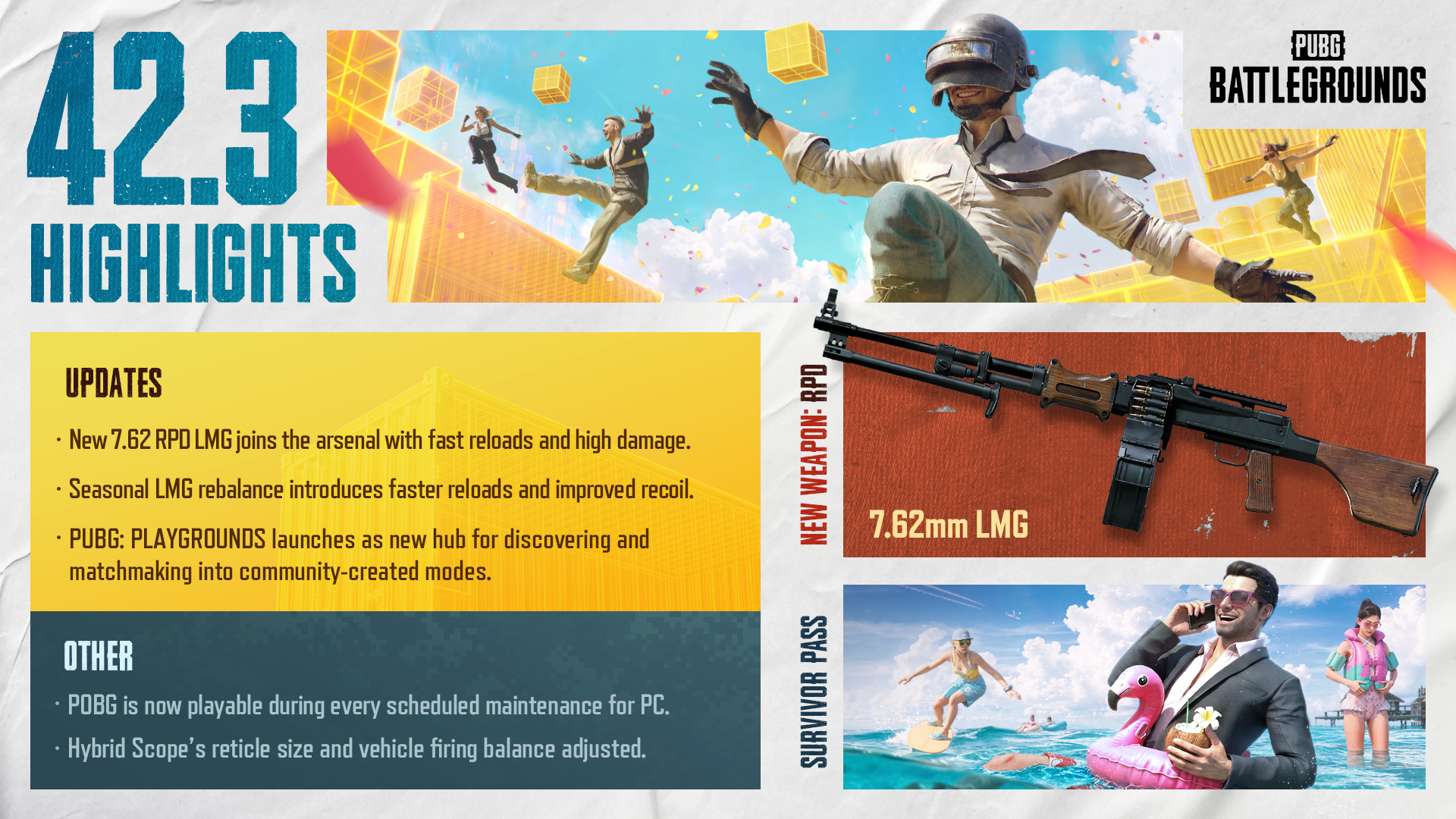
In our recent Dev Letter, we introduced the vision behind Meta Rotation and our long-term direction for PUBG's gunplay. In this Patch Notes, we'll walk you through the detailed changes included in the first Meta Rotation, including the LMG rebalance and the introduction of the new weapon, RPD. If you'd like to learn more about the development background and long-term goals of Meta Rotation, be sure to check out the Dev Letter (Link).
What is Meta Rotation? Meta Rotation is a long-term approach to gunplay that moves away from having certain weapons dominate the meta for extended periods. Instead, approximately every four months, different weapon classes and playstyles will take center stage, bringing meaningful changes to the gunplay experience.
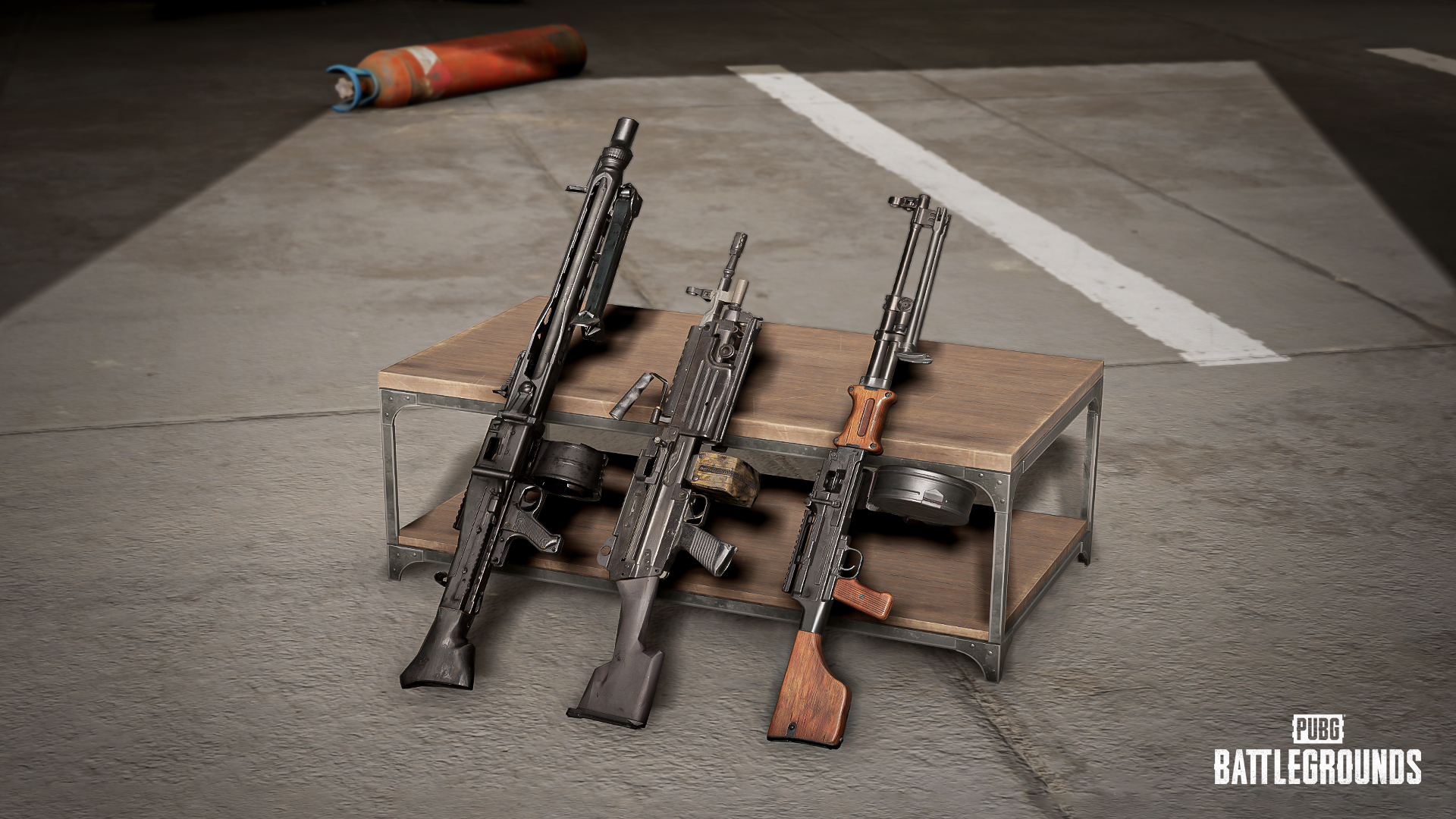
To improve the overall usability of Light Machine Guns (LMGs), we've made the following adjustments:
Reload times for all LMGs have been reduced by approximately 25%.
Both vertical and horizontal recoil have been adjusted.
Maximum horizontal recoil has been reduced by 30%.
Vertical Recoil
The sharp recoil spike at the beginning of sustained fire has been softened, while the overall recoil pattern has been refined.
The first Meta Rotation also introduces RPD, the new LMG to arrive in PUBG: BATTLEGROUNDS in nearly two years.
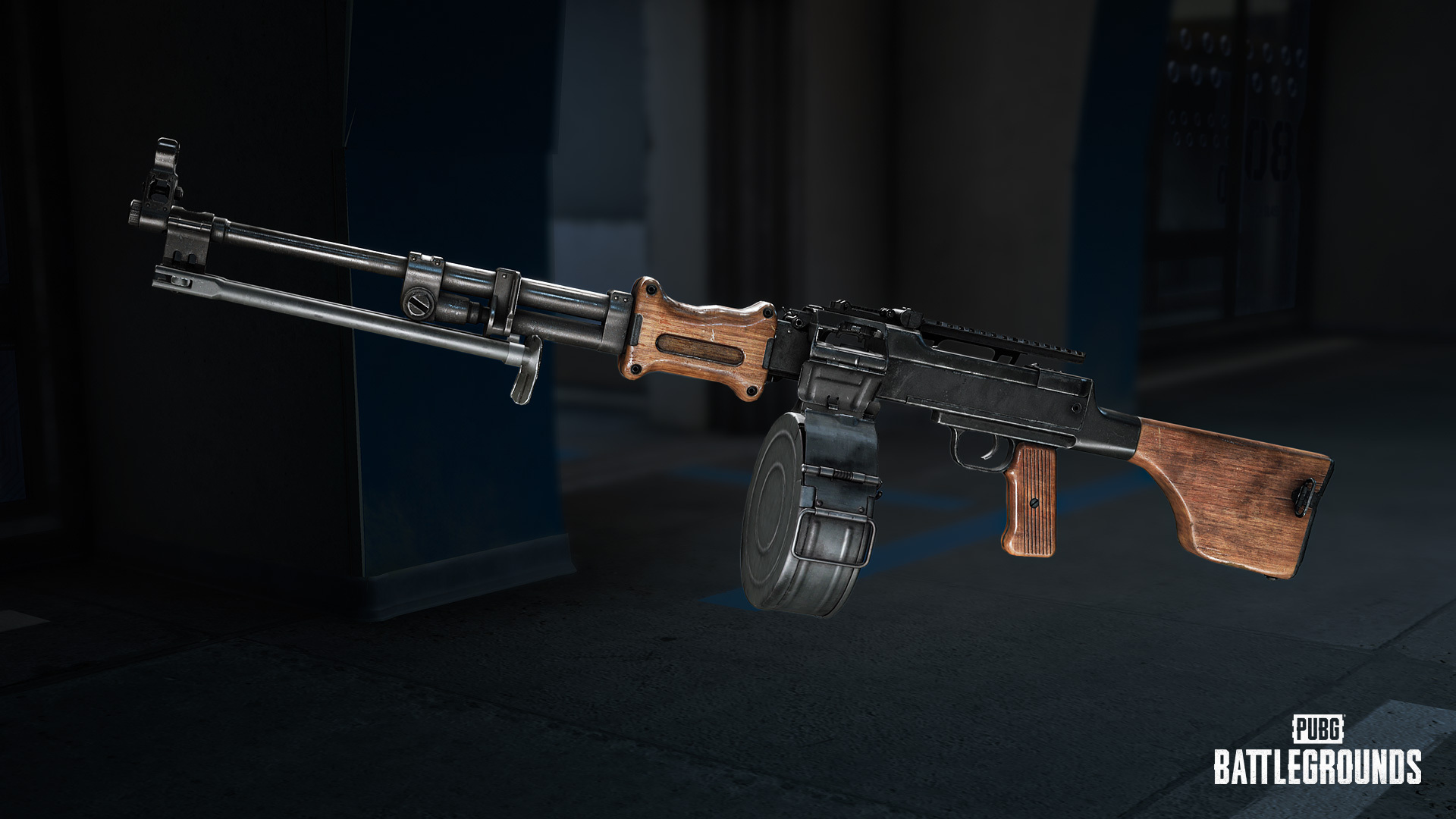
The RPD excels in combat with its high per-shot damage using 7.62mm ammunition and controllable recoil. It comes with a 50-round magazine by default, expandable to 110 rounds, allowing for sustained suppressive fire. In contrast, the M249 maintains its strengths through a higher rate of fire and faster bullet velocity.
Weapon type: Light Machine Guns (LMG)
Ammo: 7.62mm
Fire mode: Full-auto
Damage: 43
Muzzle velocity: 735m/s
Rate of fire: 750 RPM
Magazine attachment: All AR/LMG magazine attachments.
Stock attachment: All AR/LMG stock attachments.
Can attach up to the 6x Scope.
Cannot equip Foregrip/ Muzzle attachments.
World spawns.
Available on all maps.
Developer's Comment: This update marks the first season of Meta Rotation, introducing a new gunplay experience centered around LMGs. Our goal is to bring new strategies and combat experiences to the battlefield while refreshing the familiar flow of combat.
For our first Meta Rotation, we selected LMGs, a weapon class known for its strong sustained firepower but one that has seen relatively low usage due to long reload times and heavy recoil. With this update, we've introduced substantial balance adjustments alongside the new RPD, giving LMGs a much stronger presence at the center of the meta while allowing each weapon to retain its own distinct characteristics.
Going forward, Meta Rotation will continue to bring different weapon categories into the spotlight. We hope each season gives you an opportunity to explore new playstyles and strategies, and we look forward to seeing you enjoy the changing battlefield with LMGs as our first featured meta.
Firing from Vehicles
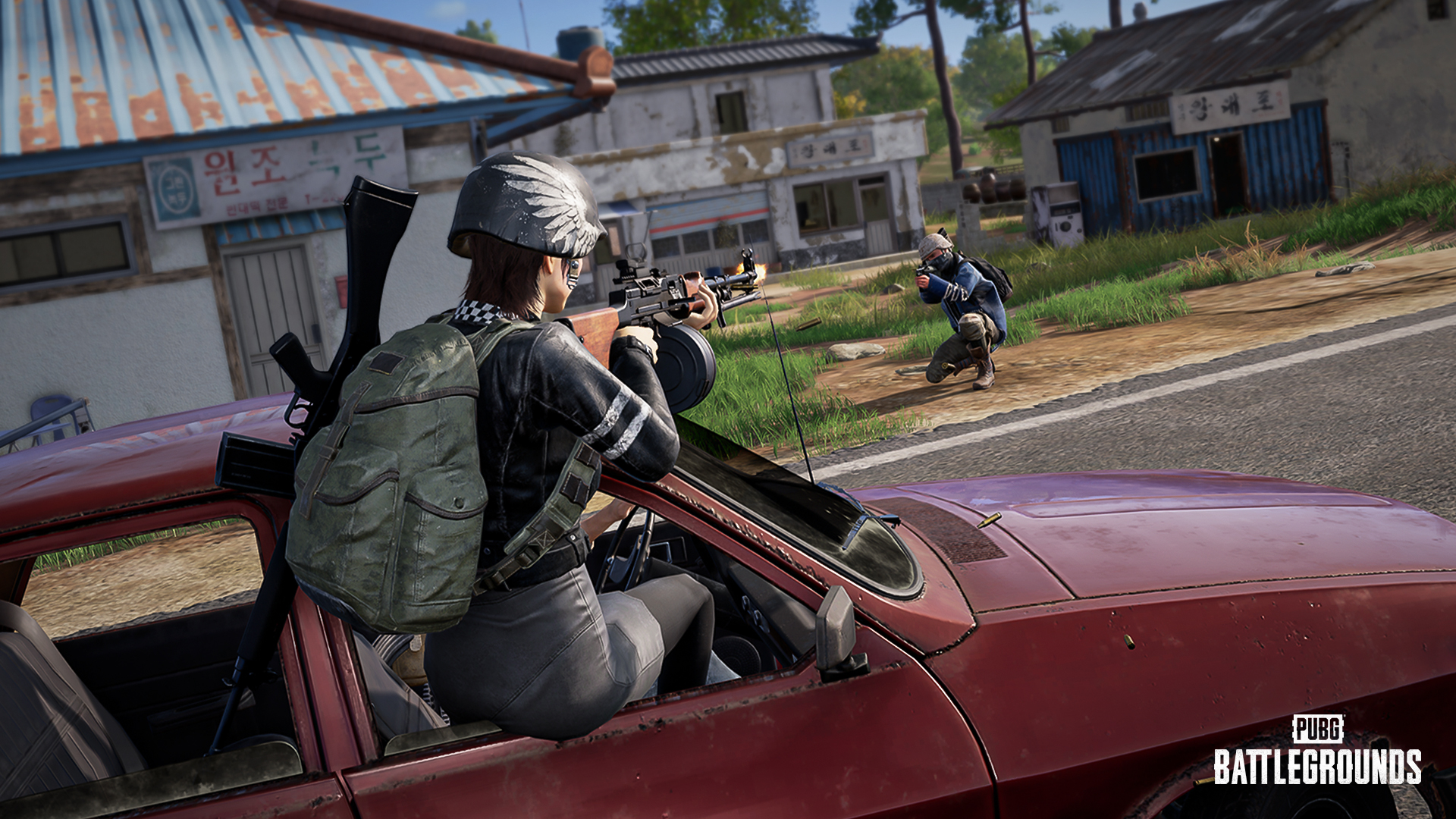
Players can now fire only after fully leaning out of the vehicle window.
The lean-out and lean-in animation timing has been adjusted, delaying when players can begin firing.
Weapon spread now starts with a 10% penalty and gradually increases up to 20% at higher vehicle speeds.
Recoil now starts with a 20% penalty and gradually increases up to 30% at higher vehicle speeds.
On console, recoil while riding in vehicles remains unchanged and is still not applied.
Developer's Comment: Vehicles are an important strategic element that can shift the flow of the battlefield by providing both fast mobility and cover. The ability to move quickly while passengers pressure enemies has long contributed to PUBG's dynamic vehicle combat experience.
At the same time, we've continued to hear your feedback that players on foot can have difficulty responding to enemies firing from moving vehicles, and that quickly switching seats to fire can be overly effective. With this feedback in mind, we've adjusted the balance to reduce the effectiveness of firing at high speeds and immediately after switching seats, while preserving the excitement and strategic value of vehicle play.
With this update, weapon spread and recoil now increase as vehicle speed rises, and players can only begin firing after fully leaning out of the vehicle. Vehicle speed penalties also apply immediately after switching from the driver's seat to a passenger seat.
Going forward, we'll continue to refine vehicle combat so that vehicles remain a powerful strategic tool while providing a healthier and more balanced combat experience when engaging players on foot.
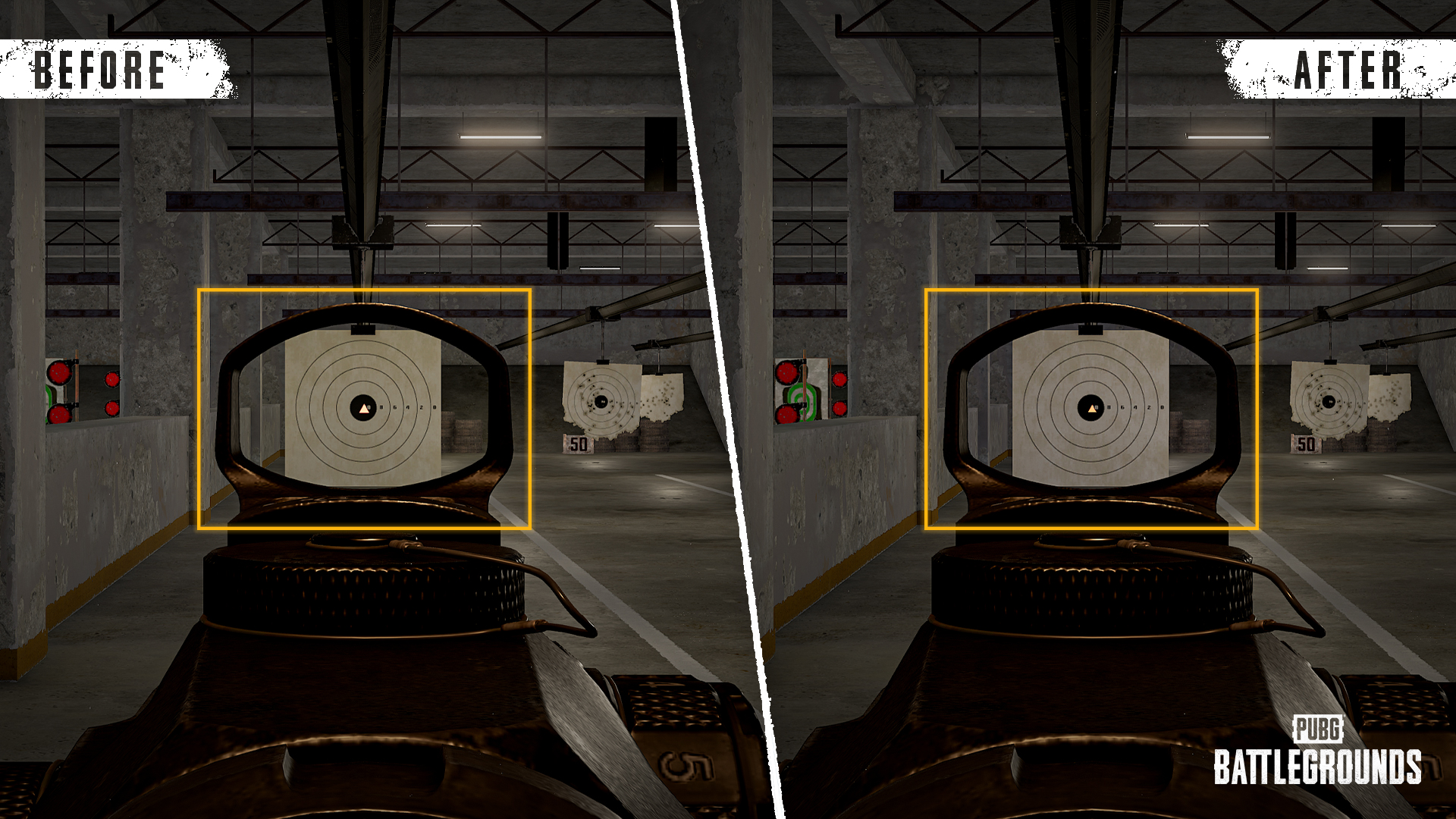
The reticle size in low-magnification mode has been reduced.
The volume of the magnification switching sound has been increased.
A new dedicated hub, PUBG: Playgrounds, has been added, allowing players to browse featured community-created modes and jump into them through matchmaking.
For more information, please refer to the PUBG: Playgrounds announcement.
A new Team Selection UI has been added, making it easier for players to choose and manage teams.
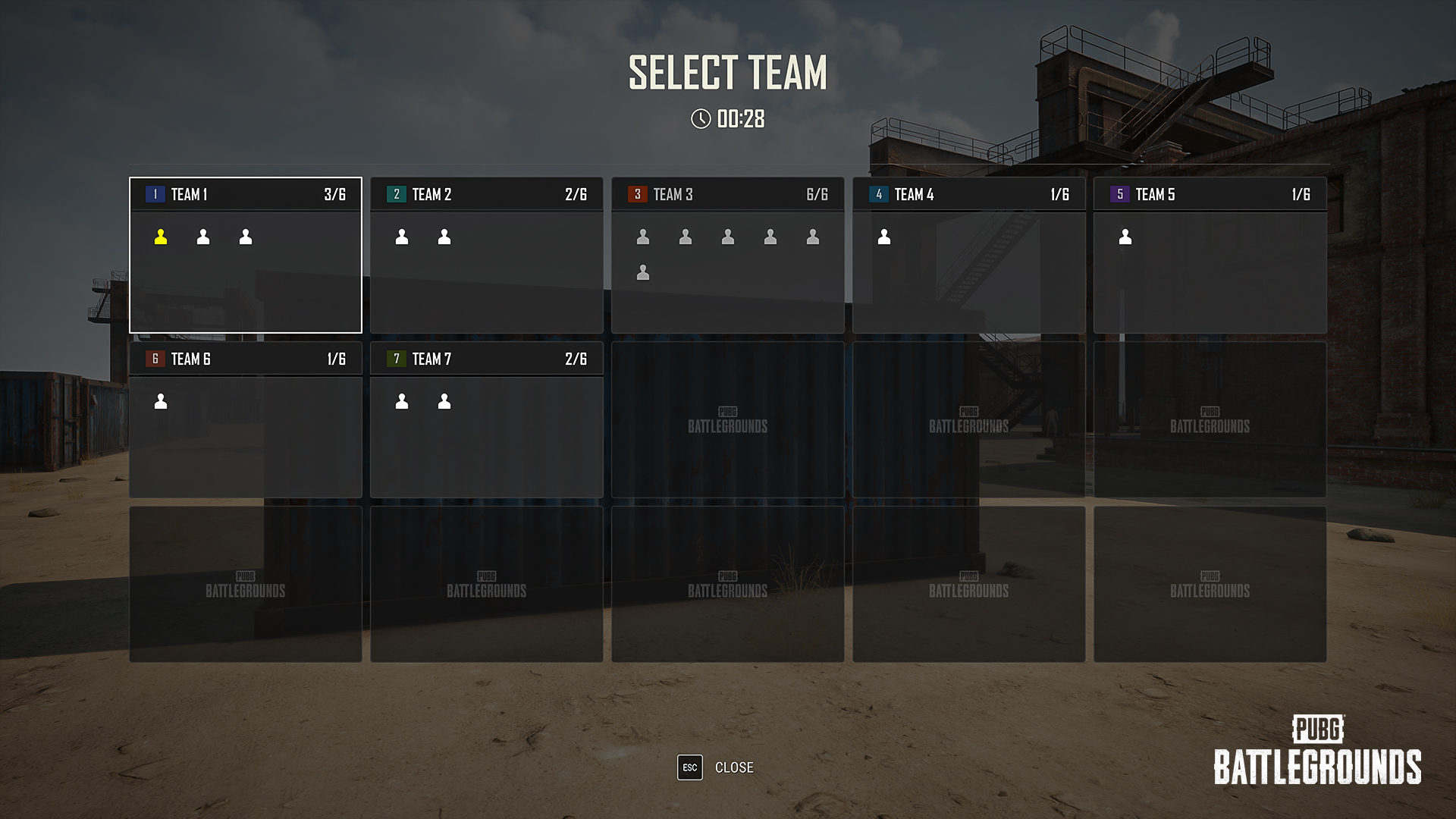
You can enable Team Selection UI via Edit Manager > Settings > Rules > Match > Team Assignment.
During the pre-match preparation phase, players can directly choose the team they want to join.
The current and maximum number of players for each team is displayed in real time.
Players who do not select a team before the preparation phase ends will be evenly distributed to teams with available slots.
The Custom team assignment option has been renamed to Host Assignment.
Host Assignment: The host manually assigns players to teams.
The Allow Team Selection option under Game Options has been removed.
A new End-of-Match screen has been added, providing a clearer overview of match results.
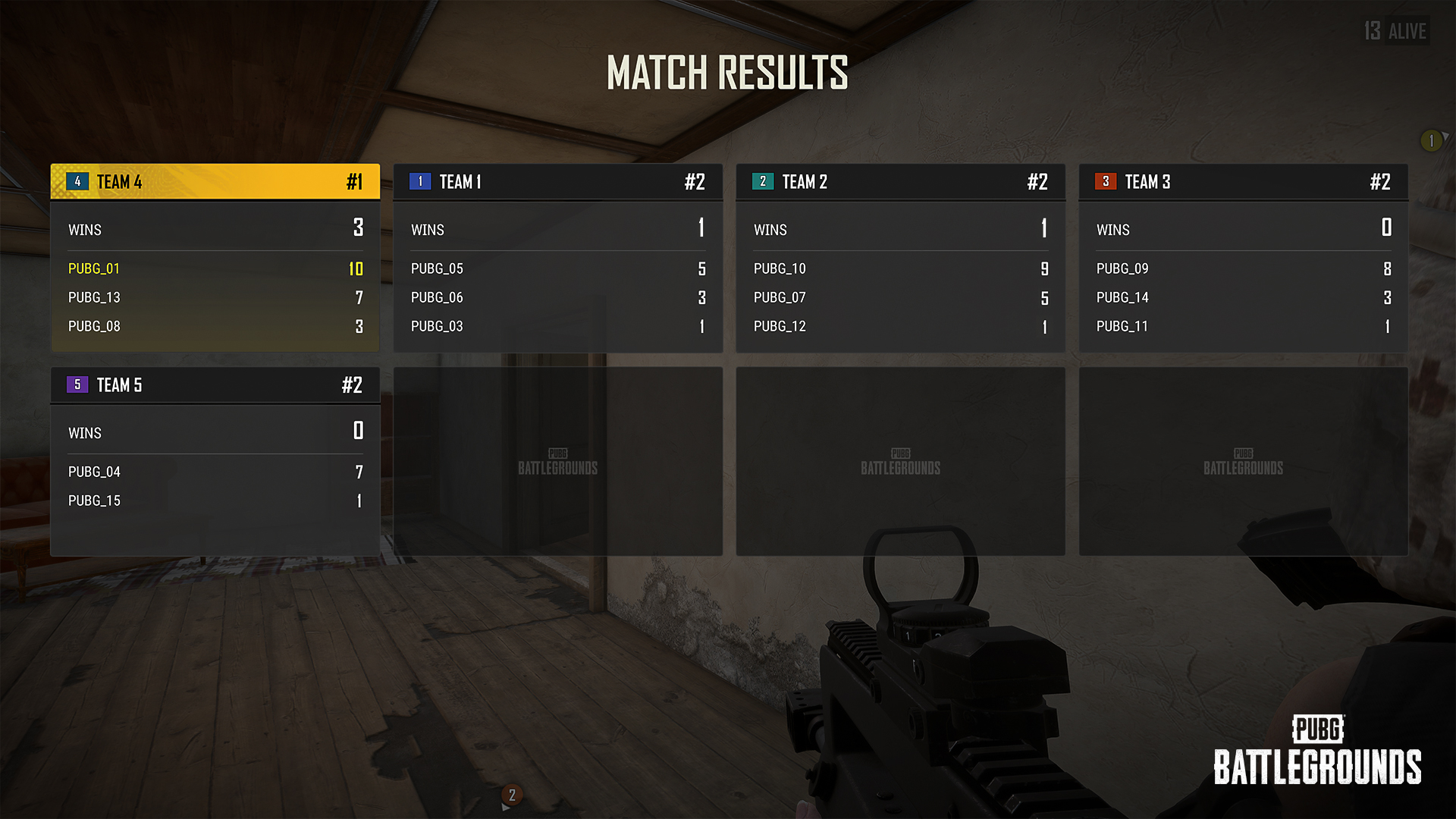
View both Round Results and Match Results separately.
Team rankings, wins, total points, and each player's earned points are displayed.
The winning team and your own team are highlighted for improved readability.
A new in-game Status board has been added, allowing players to check the current match status at any time.
Enable the feature via Edit Manager > Settings > Rules > Match > Show Status board.
Once enabled, press L to open or close the Status board during gameplay.
The Status board displays the same team scores and player information as the Round Results screen.
Individual player points are displayed on both the End-of-Match screen and the scoreboard.
Misc.
The design of device icons in the Edit Manager has been improved.
※ The following updates apply to PC platforms(Steam, Epic).
A new offline mini-game, POBG, has been added for you to enjoy during server maintenance. Play while you wait!
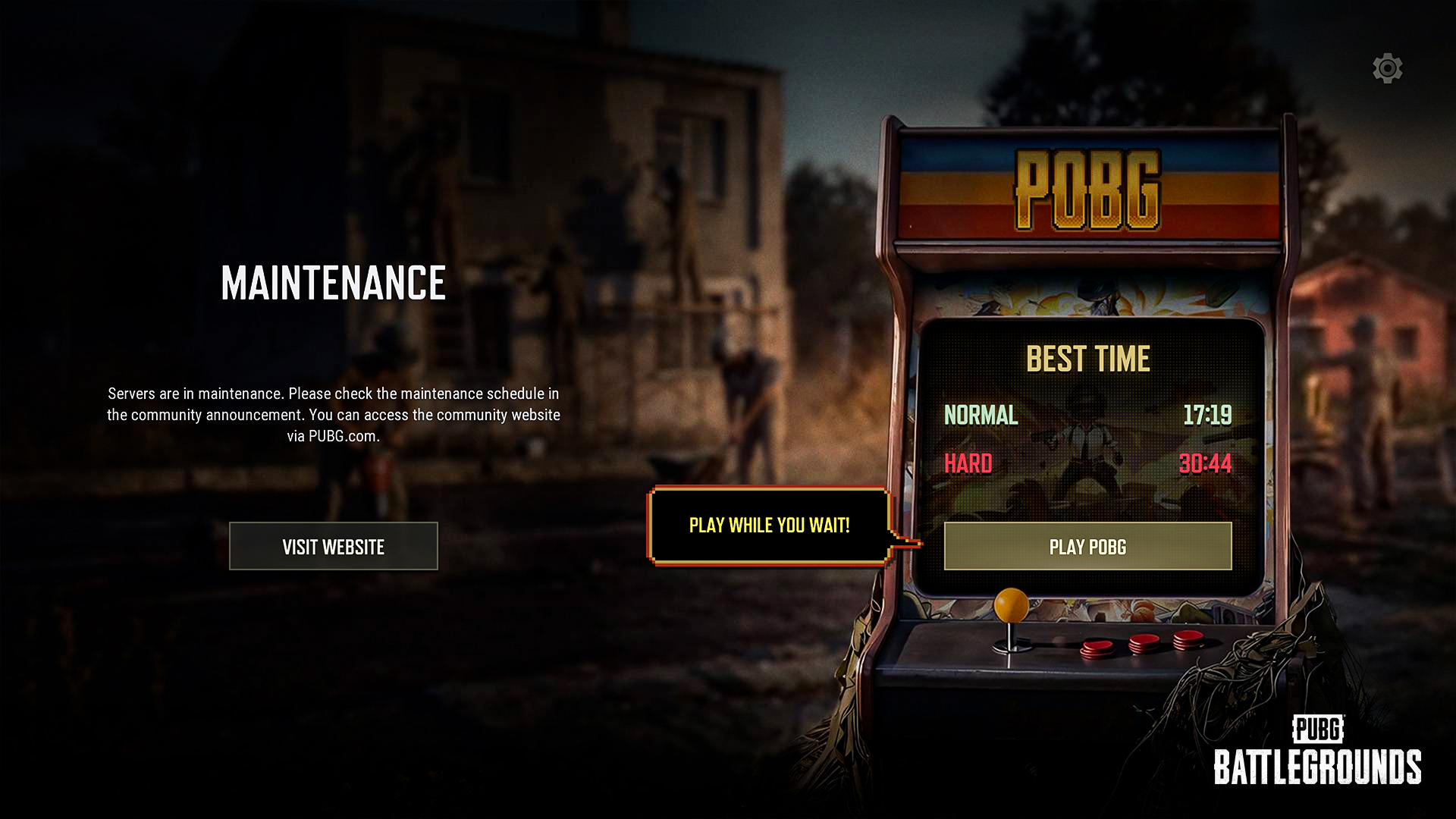
POBG is only available during server maintenance.
Best completion times are displayed separately for Normal and Hard modes.
Best records are saved locally on the PC being used, rather than to your PUBG account.
If you are already playing POBG when server maintenance ends, you can continue your current session until it is completed.
PC Café billing does not apply while playing POBG.
The minimum and maximum values for the Blue Zone Spread setting in Custom Matches and the Spread Ratio setting on the UGC Blue Zone Device have been updated as follows:
Minimum: 0
Maximum: 1
The spread setting has also been made more intuitive:
Values closer to 0 will generate Blue Zones closer to the center of the map.
Values closer to 1 will generate Blue Zones closer to the outer edges of the map.
The areas where Blue Zone centers can be generated have also been refined across maps. Locations that are difficult to access or create unfair gameplay have been excluded, while certain low-impact areas have been added to improve overall Blue Zone placement.
* Notes : Due to the changes to the Blue Zone Spread system, Blue Zone placement may differ when using Custom Match or UGC presets created before this update. If you wish to maintain the previous Blue Zone setting, please review your existing presets and adjust the spread values according to the new 0–1 scale. In particular, any previous value above 1 will now be clamped to 1, which may result in Blue Zones being placed closer to the edge of the map than intended.
※ The following changes apply to all modes.
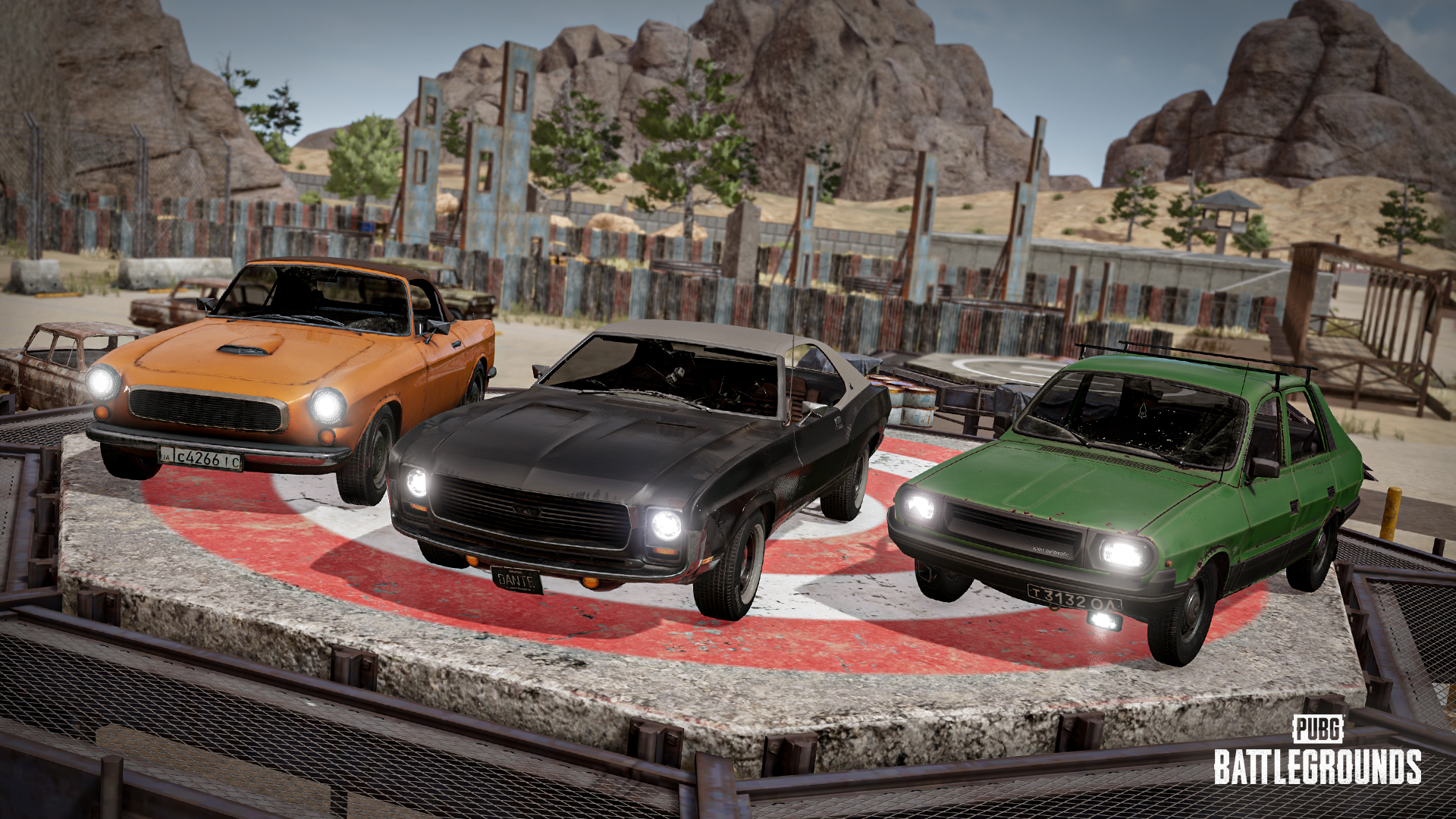
The following vehicles have had their Health increased from 900 → 1,000:
Coupe RB
Dacia
Mirado
Voice guidance from NPC Pan has been restored in Basic Training.
Please note that NPC Pan's voice guidance may not be available in certain environments depending on hardware specifications or other conditions.
Bots have been improved to behave more naturally in various situations.
A variety of improvements have been made to enhance the overall usability and convenience of the Settings menu.
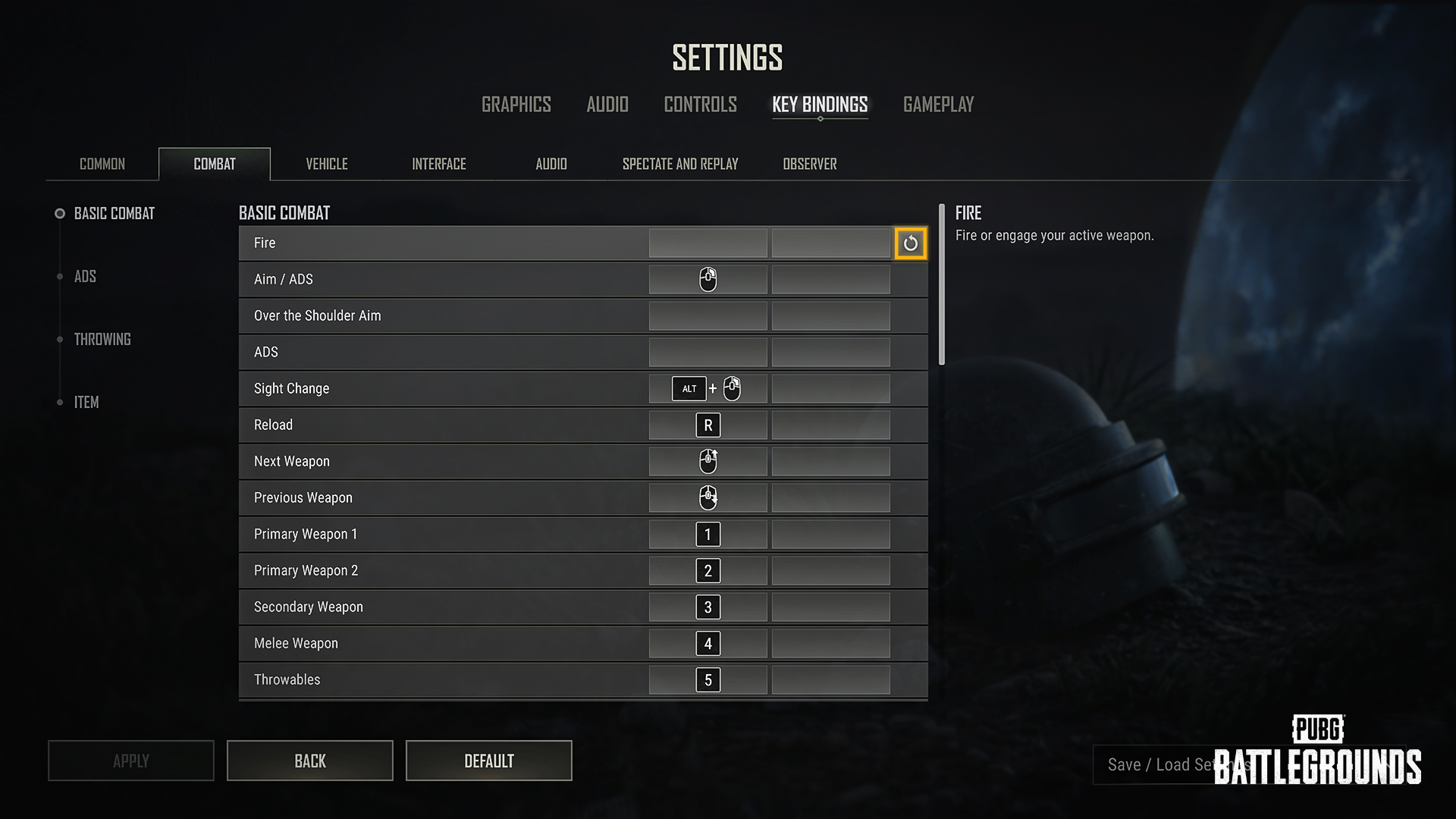
Descriptions for several options have been updated for better clarity, and helpful images have been added where applicable.
A new side navigation panel has been added, allowing you to quickly jump between option groups.
A reset button has been added, allowing individual options to be restored to their default values.
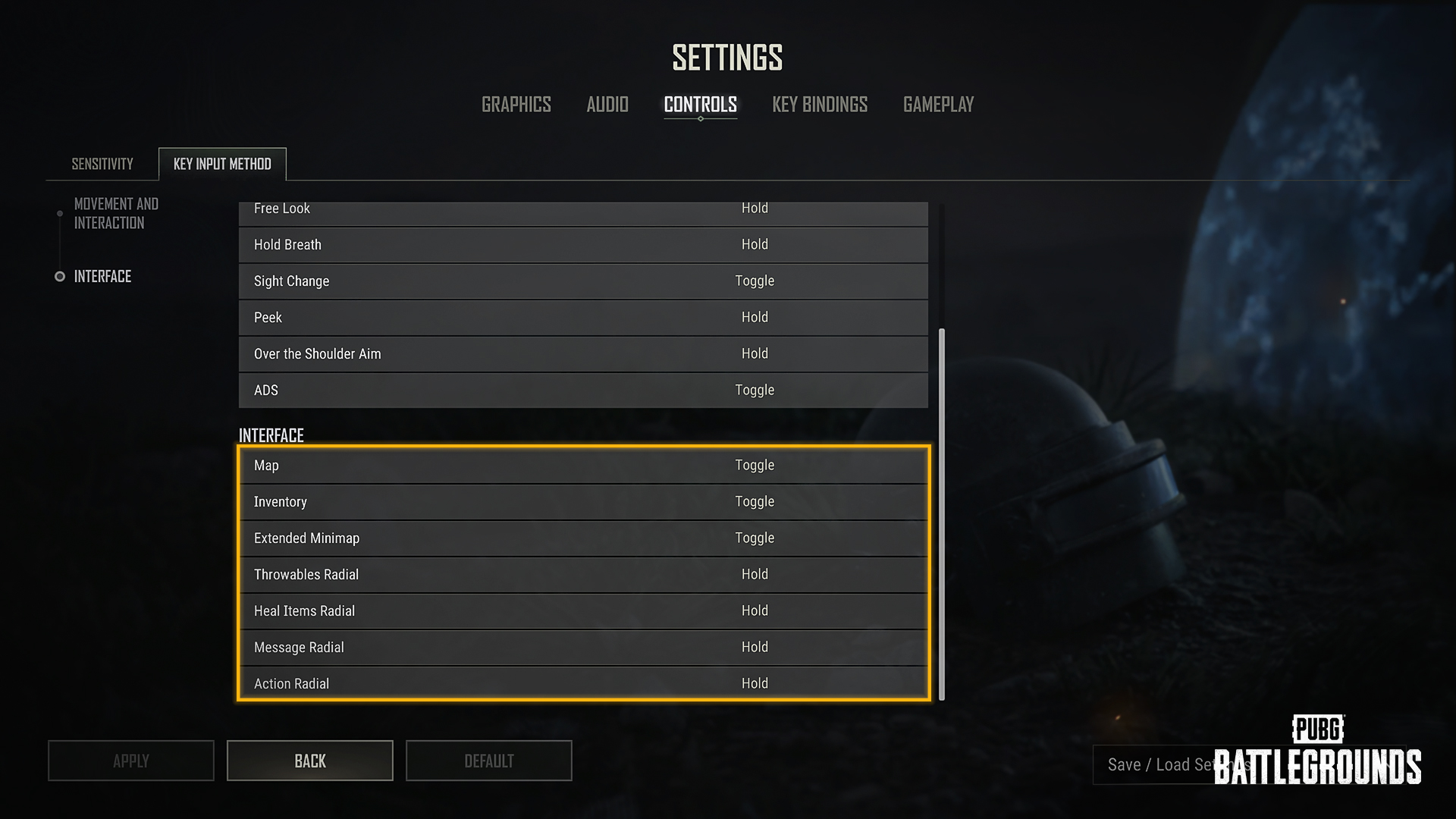
The following actions can now be configured as Toggle or Hold under Settings > Controls > Key Input Method > Interface:
Inventory
Extended Minimap
Throwables Radial
Heal Items Radial
Message Radial
Action Radial
Several new tabs have been added under Settings > Key Bindings.
New Interface, Audio, Spectate and Replay, and Observer tabs have been added.
Existing key binding options have been reorganized into more intuitive categories, making it easier to find and customize settings.
The following new actions have been added under the Interface tab:
Inventory Pick Up Item
Inventory Drop All
Inventory Drop Half
Map Marker
Waypoint
Delete Waypoint
Show/Hide Airplane Path
Apply Skin
Remove Skin
Match Log
Missions
A "Clear Binding" key guide has been added to the bottom-right corner of the Settings screen, allowing you to clear a key binding by pressing ESC.
A new Settings Sharing feature has been added, making it easier to share your settings with other players.
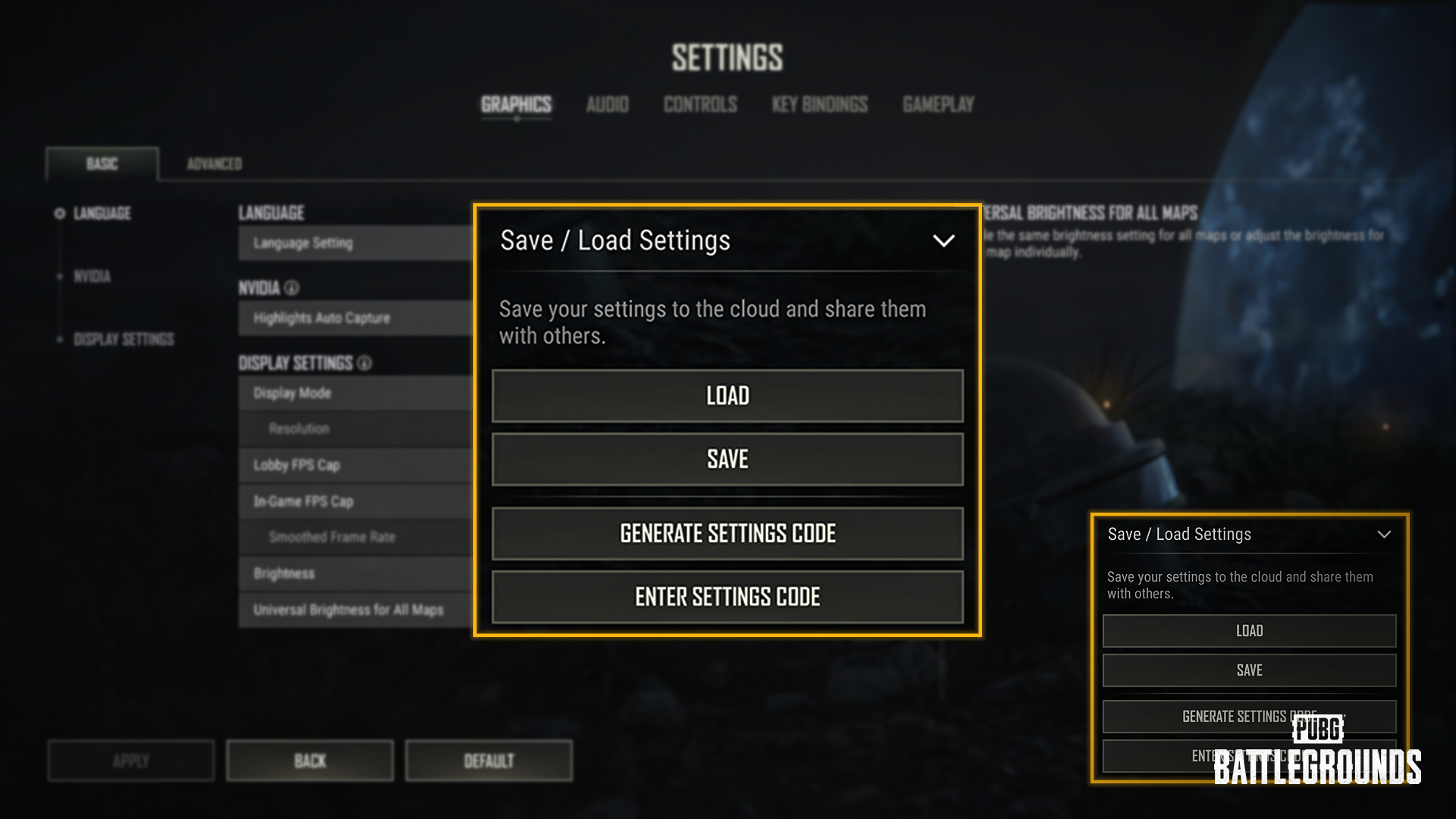
Generate a unique sharing code based on your current settings and share it with others.
Enter a sharing code to import another player's settings.
When applying shared settings, you can choose which categories to import:
Audio
Controls
Key Bindings
Gameplay
Certain hardware-dependent settings, such as Graphics, cannot be shared.
Unused codes expire after 90 days. After expiration, a new sharing code must be generated.
A new Crosshair Customization feature has been added, allowing you to personalize your crosshair to suit your playstyle.
Weapon categories: General, Shotgun, Handgun and Throwables
Choose from preset crosshair styles or create your own custom crosshair.
The following elements can be customized:
Crosshair Color
Lines: Style, Length, Thickness, Opacity, Rotation, Angle
Dot: Style, Rotation, Size, Opacity
Outline: Color, Thickness, Opacity
Changes are previewed in real time and can be saved through the Settings menu.
The Flare Gun and Zipline Gun use the Handgun crosshair settings, with some customization options unavailable.
Throwables support color and opacity customization only.
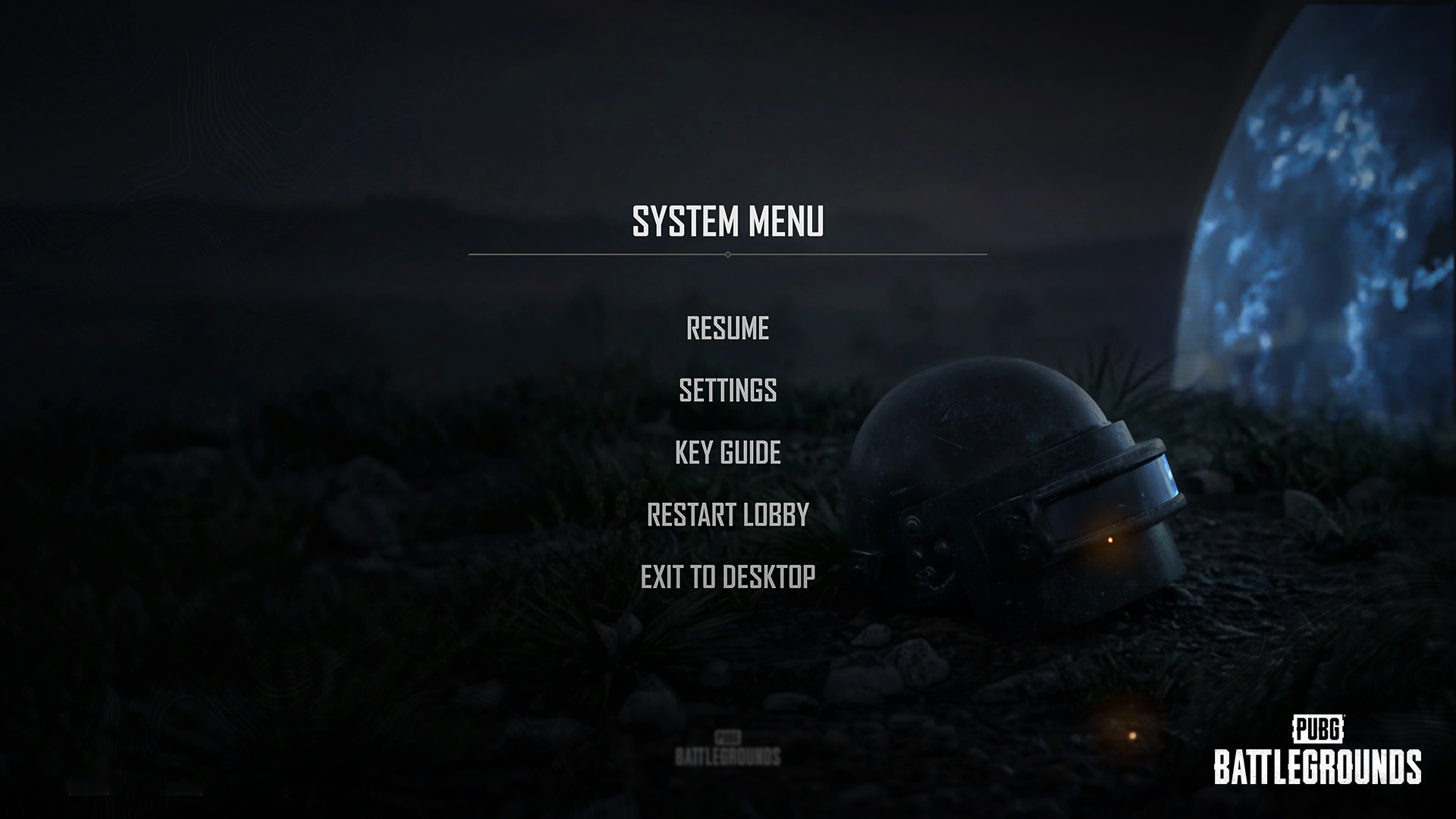
The Settings menu background and UI have been updated.
Key binding options for the following removed content have been removed:
Equip Decoy Grenade
Equip Spike Trap
A new event type has been added, allowing players to progress through missions sequentially by completing the previous mission first.
Reward previews are now available by selecting reward icons in the Event Mission screen.
Currency rewards do not support previews.
Reward icons in event missions (excluding Roulette Missions) will now display a notification when rewards are available to claim.
Events with all rewards claimed are now sorted to the bottom of the Event List.
This also applies to permanent events.
As previously announced in the July Store Update, certain chests will be removed from the game with the September update.
If you own any of the chests scheduled for removal, you will receive compensation equivalent to their respective value.
If you own a bundle containing one or more Survivor’s Chests, the bundle will be updated to exclude them following the September update. You will also receive compensation equivalent to the value of the Survivor’s Chests previously included in the bundle.
If you own a bundle or pack containing one or more Archivist’s Chest, you will receive compensation equivalent to the purchase price of the bundle or pack.
Chests Scheduled for Removal & Compensation
| Item | Compensation |
|---|---|
ARCHIVIST'S CHEST | 180 G-Coin |
SURVIVOR'S CHEST | 200 G-Coin |
HANNA PRIME PARCEL | 1,950 G-Coin |
DORIAN PRIME PARCEL | 1,950 G-Coin |
Bundles Containing Survivor’s Chests & Compensation (PC/Console)
| Item | Compensation |
|---|---|
SURVIVOR PASS: RONDO PREMIUM PACK | 400 G-Coin |
PUBG - SURVIVOR PASS: RONDO PREMIUM PACK | |
SURVIVOR PASS: DRAGON'S RISE PREMIUM PACK | |
SURVIVOR PASS: COMIC CHAOS PREMIUM PACK | |
SURVIVOR PASS: OFF THE GRID PREMIUM PACK | |
SURVIVOR PASS: GRUNGE QUEEN PREMIUM PACK | |
SURVIVOR PASS: ZERO GRAVITY PREMIUM PACK | 200 G-Coin |
SURVIVOR PASS: BEDTIME BEASTS PREMIUM PACK | |
PUBG - SURVIVOR PASS: ZERO GRAVITY PREMIUM PACK | |
SURVIVOR PASS: LET IT SNOW PREMIUM PACK | |
PUBG - SURVIVOR PASS: LET IT SNOW PREMIUM PACK | |
SURVIVOR PASS: SPIRIT SQUAD PREMIUM PACK | |
PUBG - Survivor Pass: Spirit Squad Premium Pack | |
SURVIVOR PASS: STEAMPUNK REVIVAL PREMIUM PACK | |
SURVIVOR PASS: MOGHOUL RAMPAGE PREMIUM PACK | |
PUBG - Survivor Pass: Steampunk Revival Premium Pack | |
PUBG - Survivor Pass: Moghoul Rampage Premium Pack | |
SURVIVOR PASS: KISS THE SUN PREMIUM PACK | |
PUBG - SURVIVOR PASS: KISS THE SUN PREMIUM PACK |
Bundles/Packs Containing Archivist’s Chests & Compensation
| Item | Compensation |
|---|---|
ARCHIVIST'S CHEST PACK (x1) | 10 Artisan Tokens |
ARCHIVIST'S CHEST BUNDLE (x1) | 240 G-Coin |
ARCHIVIST'S CHEST BUNDLE (x5) | 900 G-Coin |
ARCHIVIST'S CHEST BUNDLE (x10) | 1,800 G-Coin |
ARCHIVIST'S CHEST BUNDLE (x25) | 5,750 G-Coin |
ARCHIVIST'S CHEST BUNDLE (x50) | 11,500 G-Coin |
New item sets have been added to the Hunter's Chest and Archivist's Chest.
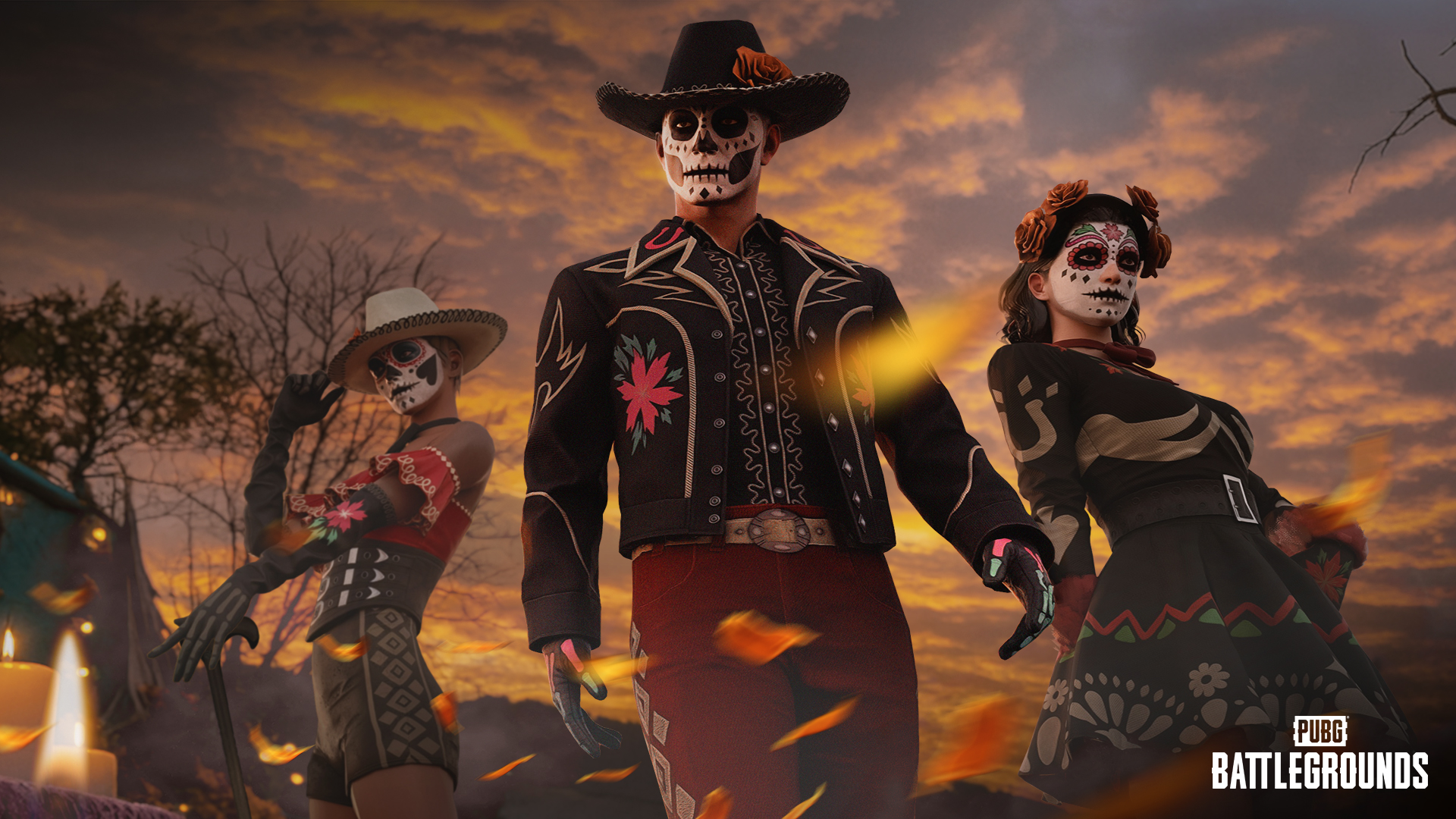
A brand new Survivor Pass is prepared for Update 42.3. Read more details on the August Store Update announcement!

Fixed an issue where the lens effect was not properly applied in Special Zones when using the low magnification of the Hybrid Scope and the low and high magnifications of the P90 Scope.
Added lens color to the low magnification of the Hybrid Scope.
Fixed an issue where the edges of the P90 Scope appeared black.
Fixed an issue where the client crashed when rapidly entering terrain destroyed by the Red Zone while in a vehicle.
Fixed an issue where the BRDM could not be equipped in custom lobbies.
Fixed an issue where players could interact with a Blue Chip Tower while carrying a knocked-out player.
Fixed an issue where PAN would occasionally die during the revive stage of the Basic Training.
Fixed an issue where players could not jump or vault onto certain motorcycles.
Fixed an issue where Basic Training replays remained under Career > Replays.
Fixed an issue where a Radio Message was displayed when placing a location marker over 1 km away, despite the marker not being displayed.
Fixed an issue where the effect appeared incorrectly when destroying a tire.
(PC) Fixed an issue where GPU memory usage continuously increased and caused the client to crash when remaining minimized in DX12 mode.
Fixed collision, texture, performance, and some other general Sanhok issues.
Fixed an issue where player locations were displayed incorrectly on the minimap in Replays and Death Cams on Vikendi and Miramar.
Fixed an issue where parts of the minimap edges appeared cut off on Sanhok and Karakin.
Fixed an issue where the starting positions of the plane and Blue Zone were incorrect on Sanhok and Karakin.
Fixed an issue where the scroll position of the item list in Special Crafting was incorrectly retained under certain circumstances.
Fixed an issue where the mute icon was displayed on the Voice Chat widget when muted.
Fixed an issue where the mission list would occasionally not be displayed during Basic Training.
Fixed an issue where the character was not displayed in the lobby after restarting the lobby while a skin was selected under Customize > Weapons > Consumables.
Fixed an issue where the map function UI buttons were not displayed on the World Map in Training Mode, Clan Training, and Custom Match Training Mode.
Fixed an issue where item names and images briefly appeared incorrectly when the item list was updated in the Vicinity tab of the Inventory.
(PC) Fixed an issue where the music did not play when setting the lobby music to ‘Erangel - Subzero’.
※ Clipping issue: Graphics that are shown outside the visible part of an image/object.
Fixed an issue where the hit range of certain melee weapon skins slightly differed.
Fixed an issue where the ankle became transparent when wearing Handmade Hero Boots with certain pants.
Fixed a clipping issue when the female character wearing the Digital Darling Jacket with a backpack or vest.
Fixed a clipping issue when wearing the Mini-skirt (Purple).
Fixed an issue where the ankle became transparent when the male character wearing First Jump Pants with PCS3 Suntouched Boots.
Fixed an issue where the ankle became transparent when wearing 17shou's Beast Sweatpants with Neon Warlord Boots.
Fixed an issue where the bottoms of the shoes appeared incorrectly in the Fashion Exhibit Lobby.
Fixed an issue where the belt was not displayed when wearing the Handmade Hero Skirt with certain crop tops.
Fixed a clipping issue when the male character wearing the Groom-to-Be Pants with certain shoes.
Fixed an issue where the melee weapon swing sound effect did not play for Hanna in the Contender Room.
Fixed an issue where the acquisition method tooltip for EVE items appeared blank in the Contender Room lobby.
Fixed an issue where EVE's dive trail effect remained on the ground under certain circumstances.